





























Windows 11 already includes numerous gaming features, such as its Game Bar, Xbox App, and Game Mode. However, Microsoft is firmly committed to making the Windows 11 platform even better for gaming. Microsoft has recently announced it will be rolling out a new Xbox mode gaming feature update for Windows 11 PCs.
The big M initially announced the new Xbox mode gaming feature in November 2025. It was then that Microsoft confirmed a new full-screen gaming UI mode for Windows insiders to try out. A passage from Microsoft’s original announcement says this:
Windows has long been the foundation for innovation with its open platform—one that has defined PC gaming. In partnership with Xbox, we’re creating experiences designed for when, where, and how people play. Full-screen experience is purpose-built for gaming and adds another way to enjoy games on your PC, delivering an immersive experience for players who want a console-like feel—while keeping the flexibility and choice that PC players value.
Aside from that, Microsoft has also shown us a video trailer for what it now calls Xbox mode. That trailer shows us a new full-screen gaming interface for Windows 11 designed primarily for controller-first navigation of video game libraries. It has a console-style interface comparable to that of a Xbox.
Microsoft has now begun the rollout of the Xbox mode feature across different regions in May 2026. Some players in select markets can now download and install the latest Xbox mode gaming feature on their PCs. I found the required Windows 11 update for that feature is available on my PC. To check if you can install that feature, go through the following steps:
- Click in the Search box and input updates.
- Next, click Check for updates in the search results.
- Press the Check for updates button.
- If the 2026-04 Preview Update (KB5083631) (26200.8328) is available, click its Download and install option.
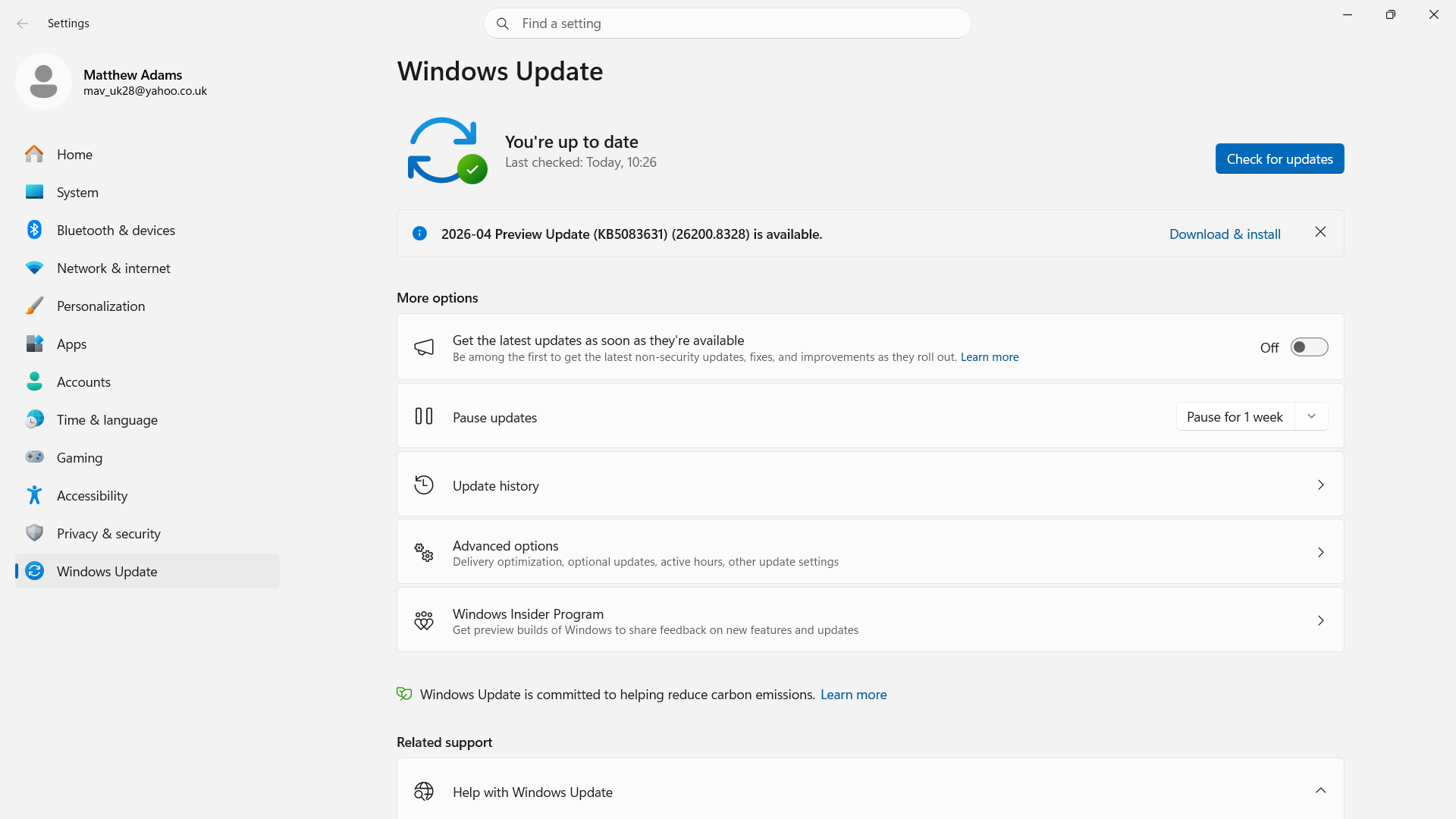
- Restart Windows 11 to complete the update.
Thereafter, you might also need to manually enable Xbox mode in Windows 11. To do so, you will need to toggle on an Enable Xbox mode option within the Settings app. This Microsoft page provides full guidelines for how players can enable Xbox mode.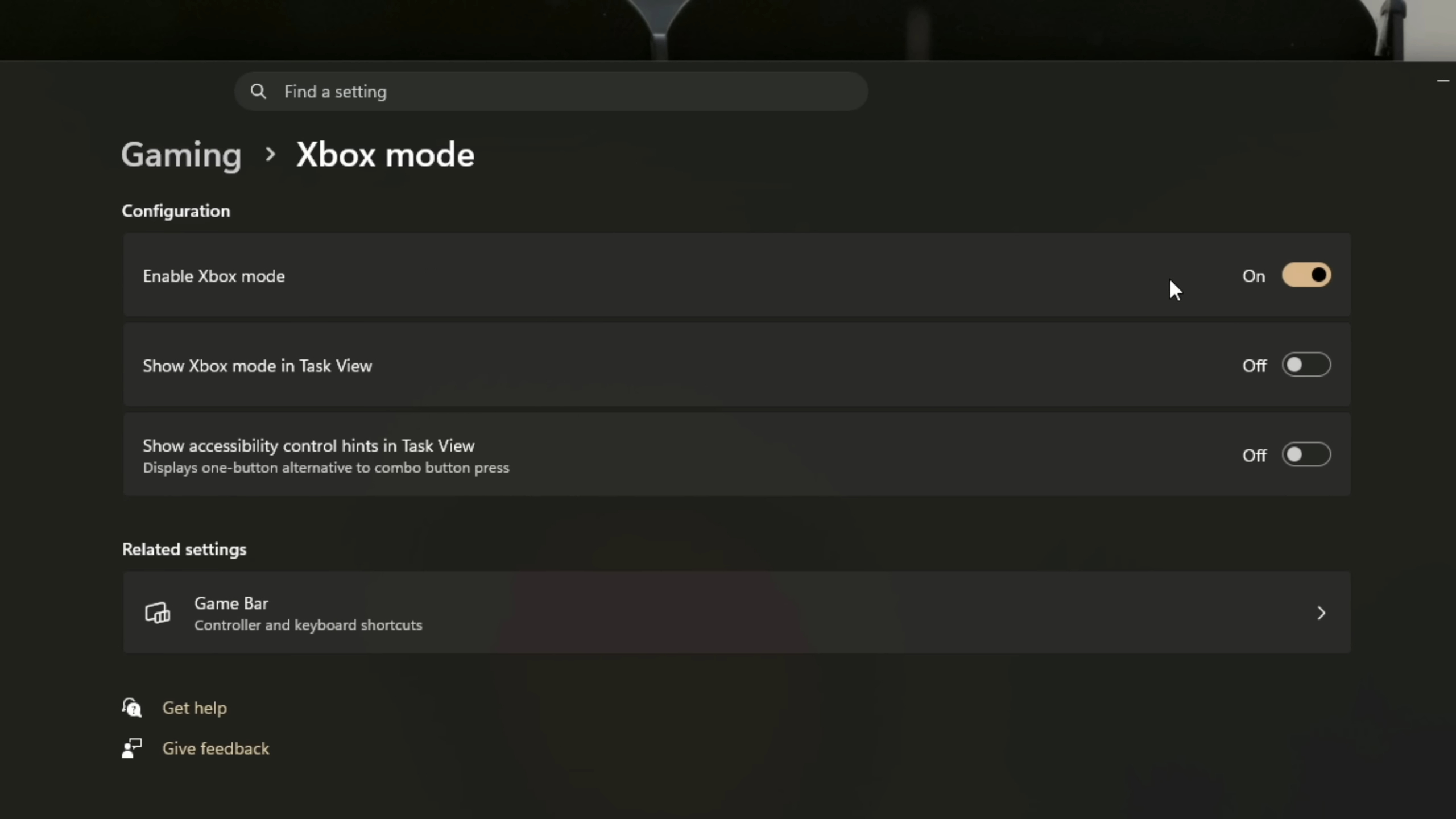
When you have turned on Xbox mode, there are three ways you can activate it. Xbox mode has a Win + F11 hotkey you can press to utilize the new gaming feature. You can select an Enter Xbox mode option by clicking the Settings button on the Game Bar. Or select the Xbox mode option on the Home tab of the Xbox app.
When you enter Xbox mode, you will see a unique, full-screen UI that brings together games from Game Pass, the Xbox app, and alternative third-party storefronts for aggregated library navigation. You can select to browse and launch your games from there. Activating Xbox mode also reduces non-essential background processes for optimized gaming.
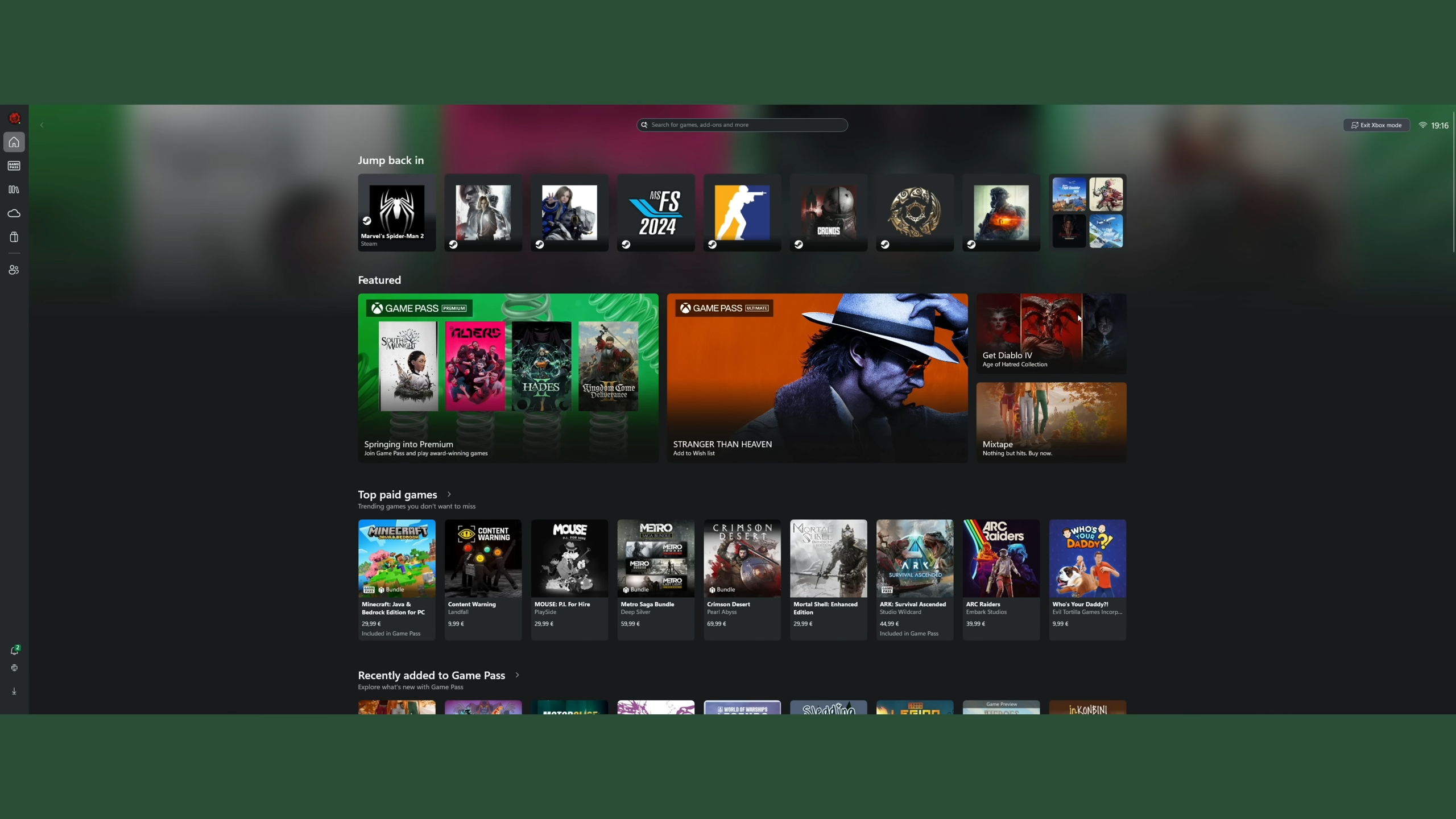
So, Xbox mode is an exciting new full-screen gaming feature that many players can add to Windows 11 today. It is a mode that adds a more console-like gaming experience to your PC. Although Xbox mode works best with gamepads, game controllers are not an essential requirement for utilizing it.

















You must be logged in to post a comment Login