



























There are a variety of user-created mods available for Civilization 6. Those mods customize Civilization 6 by adding, changing, or removing content. Such mods can apply simple UI enhancements or overhaul gameplay mechanics, civilizations, and leaders. The Steam community provides an expansive library of mods for players to add to Civilization 6. This is how you can add Civ 6 mods to the Civilization 6 game.
How to Add Mods via the Steam Workshop
The Steam client will automatically install Civ 6 mods available within the workshop. So, this makes it relatively straightforward to add those mods to Civilization 6 for those players who’ve installed the game via Steam. This is how you can add mods to Civilization 6 via Steam:
- Open this Civilization 6 Workshop tab.
- Log in to Steam if required.
- Click on a mod you want to add to the game.
- Press the Subscribe button for the mod.

The mod will now automatically be added to Civilization 6. You can view the mods installed by selecting Main Menu > Additional Content > Mods. Click on the mods listed there to select Disable options for them.
How to Add Mods to the Epic Games Civilization 6
If you have installed Civilization 6 with the Epic Games client, you can’t add Civ 6 mods in the Steam Workshop to it by clicking their Subscribe buttons. Instead, you will need to manually download mods from the Steam Workshop. You’ll also need to extract the compressed mods into a Mods folder for Civilization 6.
First, open a Civ 6 mods page, such as this one. Copy the URL for that page by selecting its text in the browser address bar and pressing the Ctrl + C hotkey. Open this Steam Workshop page, and paste the URL into the text box there. Press the Download > Download from online Steam Client buttons to obtain the archive for the mod file.

Next, you’ll need to extract the downloaded ZIP archive for the mod. To do so, click on the File Explorer taskbar shortcut and open the folder that contains the mod. Right-click the downloaded ZIP archive in the folder to select Extract all. Select the Show extracted checkbox, and click on the Extract option. Now you’ll see the extracted mod folder within the same directory as the ZIP archive.

Finally, copy and paste the extracted mod folder into the Mods directory. Right-click the extracted, numbered mods folder to select Copy. Then open the C:\Users\[user folder]\Documents\My Games\Sid Meier’s Civilization VI (Epic)\Mods in File Explorer. Right-click inside the Mods folder to select Paste. Alternatively, you can drag and drop the extracted mod into the required folder without copying and pasting it.

Now you should see the mod listed within Civilization 6. Start Civilization 6 to view the Mods menu. If you don’t see it listed there, make sure you’ve moved the downloaded mod into the correct Civ 6 folder.
The Best Civ 6 Mods
There are many mods for you to check out within the Steam Workshop. The best Civilization 6 mods can genuinely enhance the game in many ways. These are some recommended Civ 6 mods to add to the game:
- City Lights
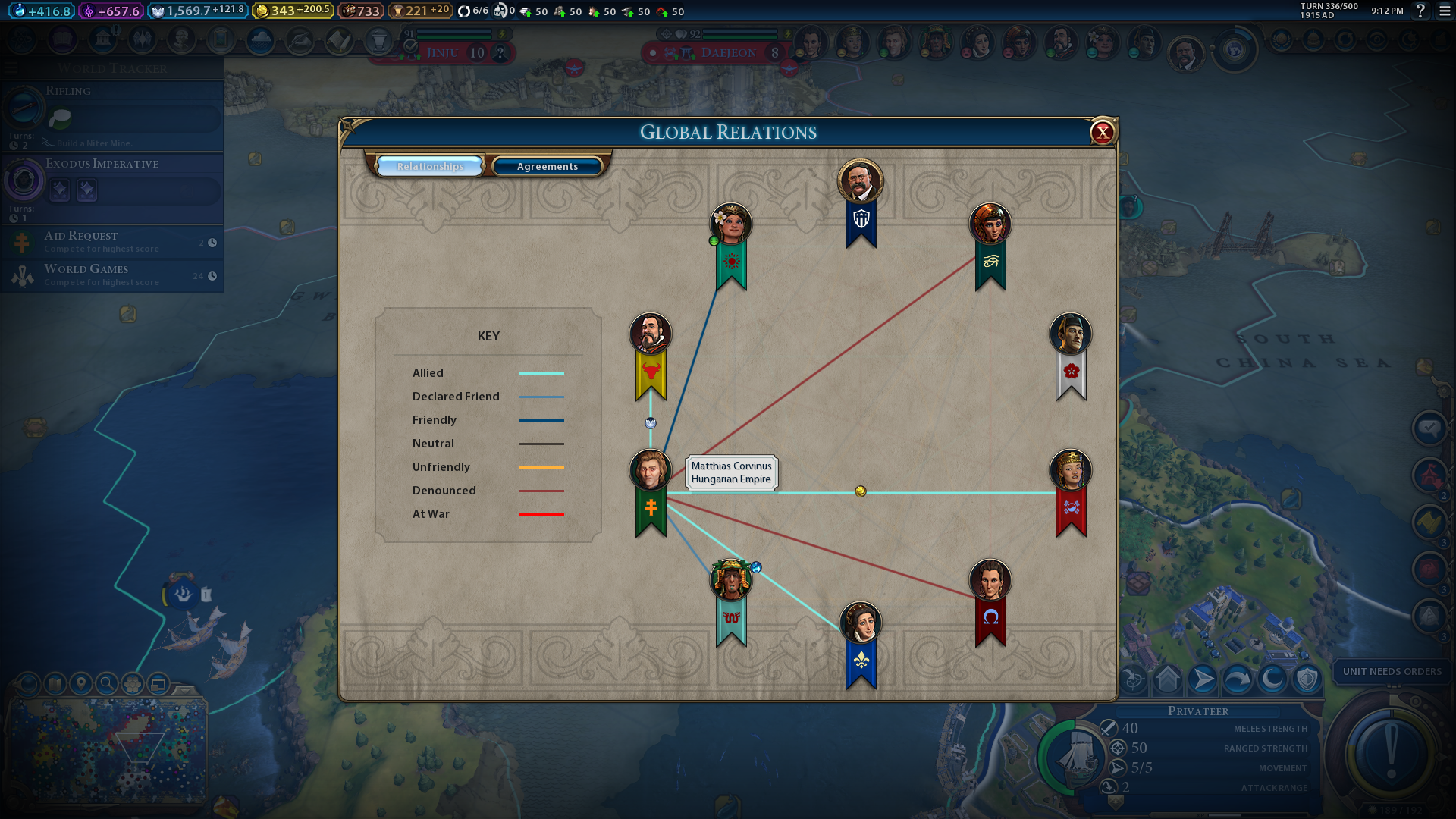
- Sukritact’s Global Relations Panel
- Sukritact’s Oceans
- Golden Age Brave New World
- CQUI – Community Quick User Interface
Sukritact’s Global Relations Panel is a mod that adds a new diplomacy info screen to the game. That panel enables you to view the relations of each civilization with all the others. You can also view the agreements established between the civilizations on the panel.
The City Lights mod enables you to specialize in single cities as Urban or Rural. Players can add Borough or Rural Community districts to convert their cities to either. The Rural Cities are entirely tile-based, and the Urban alternatives are more heavily district adjacency bonuses.
Sukritact’s Oceans is a mod that adds more strategic value to ocean tiles in Civilization 6. That mod adds a new Oceans mode to the game. It adds Kelp Forest terrain features with new resources for tiles. The Kelp Forest terrain feature slows down naval units. This mod also assigns different coastal resources to alternative continents.
Golden Age Brave New World is almost like a new expansion patch for Civilization 6. That mod adds higher population bonuses, expansion penalties, overhauled governors, and new game modes. Note that the Civ 6 Rise and Fall and Gathering Storm expansions are required for the Golden Age mod.
CQUI – Community Quick User Interface is a mod that refines the UI design for Civilization 6. This mod adds a Civ 5 city view style to the game. It also adds smart banners, more lenses, an enhanced trading screen, and Barbarian Clan enhancements to Civilization 6.
So, you can transform Civilization 6 by adding Civ 6 mods to it, as covered above. First, check out the recommended mods in this guide to see how they enhance Civilization 6. However, there are many more good mods for Civilization 6 within the Steam Workshop for you to discover.













You must be logged in to post a comment Login